Know who has your kit. And when it’s due back.
Track equipment, record its condition and keep returns on schedule.
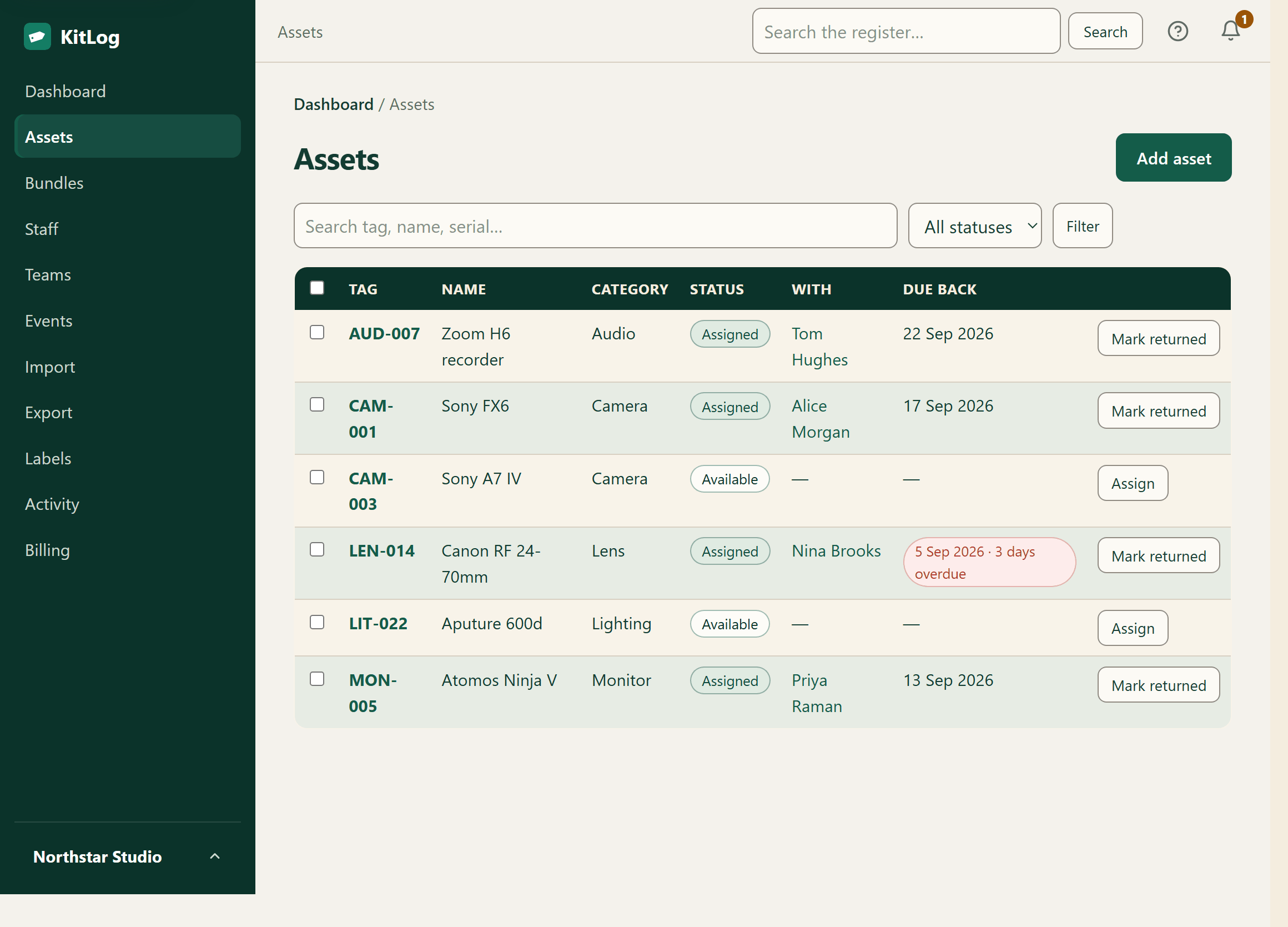
Sound familiar?
The register that stays true
KitLog is an equipment register and asset tracking app for small businesses — simple inventory management for equipment issued to staff: custody, condition and returns, not stock control or warehouse fulfilment. Replace the equipment spreadsheet with a live register your whole team can trust. Every laptop, phone, tool and cable: who has it, since when, and what condition it was in. When someone hands in their notice, KitLog already knows what needs to come back — and reminds them so you don't have to.
Explore asset register software · See equipment checkout and loan tracking
How it works
- Import — upload your spreadsheet or add kit in minutes.
- Assign — hand out kit with two clicks; staff get a confirmation email. No staff logins needed.
- Relax — KitLog chases due-backs and leavers, and your register stays audit-ready.
Built around the moment kit goes missing
Most asset tools are databases. KitLog is built around offboarding: mark someone as leaving, and their page becomes a return checklist — everything they hold, escalating reminders at 14, 7 and 2 days before their last day, and a one-click “all returned”. That is the moment equipment goes missing, and the moment KitLog is built for.
The detail is a page of its own: read how employee offboarding and equipment return work in KitLog — the exact reminder schedule, who is emailed, what the record shows afterwards, an honest list of what it cannot do, and a printable equipment-return checklist that needs no account.
The same register, four different jobs
What changes between organisations is not the kit, it is the moment the record has to be right. IT teams and MSPs need a device register that survives a Cyber Essentials self-assessment and a leaver's last day. Schools and colleges run on the academic calendar: everything out in September, recalled at each holiday, and a fixed crop of leavers every July.
Charities and nonprofits answer for grant-funded equipment twice — once on a monitoring form and once to a trustee — long after the person who bought it has moved on. And event and production companies think in jobs rather than items: a kit list per event, issued to a crew in one action, and every case accounted for when the job wraps.
Audit-ready, always
Cyber Essentials, insurers and finance all want the same thing: a current register of devices and who has them. KitLog exports one in a click — owner, device, serial, status. Cyber Essentials sets no prescribed register format and there is nothing to upload with a self-assessment, so treat it as the evidence behind your answers. It's a strong input to your submission — not a certification service, and we won't pretend otherwise.
Before the software question, there is a scheme question, and we wrote the answer down: what a Cyber Essentials asset register actually has to answer — the current requirements and question set in their own words, which columns earn their place, and which of them the scheme never asked for.
Questions, answered
- Do my staff need accounts?
- No. Staff records don't need accounts — the people who hold kit never sign in. Invite a colleague as a Member only when they need to help manage the register. Staff can receive assignment confirmations and return requests by email; overdue summaries go to your account users, and offboarding reminders go to the leaver and your account users.
- Can I import my existing spreadsheet?
- Yes — import CSV or Excel files with guided column matching and a preview of what will be created, or use KitLog's fixed CSV template. Most teams are set up in under 15 minutes.
- Is this enough for Cyber Essentials?
- KitLog keeps the device inventory a Cyber Essentials self-assessment asks about — owner, device, serial, status — and exports it as CSV. Cyber Essentials prescribes no register format and you do not submit one, so it is preparation evidence for your own submission, not a certification service.
- What happens if I cancel?
- Export your asset register, staff list, activity history and Cyber Essentials register as CSV at any time — each is its own download. We keep your data for 90 days in case you return; after that the account is queued for permanent deletion following a final review.
- Do you do barcode scanners?
- We generate printable QR labels; any phone camera scans them. No special hardware.
- Where is my data stored?
- On servers in the UK/EU. The database is backed up continuously rather than once a night, so it can be restored to any moment in the last 7 days.
Straight answers, tiny company
Data hosted in the UK/EU. Export your register, staff list, activity history and Cyber Essentials register as CSV whenever you like, and cancel yourself, anytime, from your billing page. Built and run in the UK by Central Technologies Ltd — email us directly: support@kit-log.com.
Start free 14-day trial